The Specific Reason Your City Page SEO Isn’t Generating Leads
The Specific Reason Your City Page SEO Isn’t Generating Leads
You’ve done everything the “gurus” told you to do. You’ve built out fifty different city pages. You’ve optimized your H1s, tweaked your meta descriptions, and bought enough backlinks to make a Silicon Valley startup blush. Your rank tracking software shows green arrows across the board. You are sitting at the top of page one for “[City] + [Service].”
But the phone isn’t ringing. Your contact forms are gathering digital dust. Your traffic graph looks like a mountain range, but your revenue graph is a flatline.
As someone who has spent over 15 years in the trenches of city page seo and Google Business Profile management, I see this every single day. Business owners come to me frustrated, convinced that local SEO is a scam. It isn’t. The problem is that you are winning a game that no longer matters. You are ranking for keywords, but you are failing at conversion architecture.
The hard truth? Ranking is a vanity metric if your page doesn’t bridge the gap between a searcher’s intent and the physical reality of the service area. There is one specific, underlying reason your strategy is failing, and it’s something I call Hyperlocal Desynchronization.
The “Ghost Town” Ranking Phenomenon
In the early days of local SEO, you could throw up a “Search and Replace” template, change “Chicago” to “Naperville,” and dominate the SERPs. Those days are dead. Today, we are seeing the “Ghost Town” ranking phenomenon: you have the visibility, but zero engagement.
According to ongoing discussions within the Local Search Forum and various SEO subreddits, the consensus is clear: inbound links might get you to the top of organic results, but they don’t guarantee a lead. Why? Because a user looking for a local plumber or attorney isn’t just looking for a website; they are looking for a local presence.
There is a massive distinction between organic ranking and local map pack seo. If your city page is ranking organically but your Google Business Profile (GBP) is nowhere to be found in the Map Pack for that specific area, you’ve already lost. Most users skip the organic results entirely and head straight for the maps. If they do click your organic link and find a generic, sterile page that looks like it was generated by a bot in 2014, they bounce within three seconds. They realize you aren’t actually “there.” You’re just a digital ghost.
The Specific Reason Revealed: Hyperlocal Desynchronization
So, what is Hyperlocal Desynchronization? It is the disconnect between the signals your Google Business Profile is sending and the content on your city landing page.
Google’s 2024-2026 algorithm updates have leaned heavily into three pillars: Proximity, Relevance, and Prominence. If your city page is a “cookie-cutter” template, it lacks the unique local trust signals required to satisfy these pillars. Hyperlocal Desynchronization happens when your page fails to align with the GBP proximity signals.
For example, if your GBP is verified in a central hub but you are trying to rank a city page for a suburb 30 miles away, Google sees the “NAP Gap.” But more importantly, the user sees it. If your city page doesn’t offer “Proof of Presence” – local photos of your team in that city, reviews from neighbors in that specific zip code, or mentions of local landmarks – the user’s “spam radar” goes off.
To fix this, google business profile optimization must be treated as the foundation, not an afterthought. Your city page should be an extension of your GBP, not a separate entity. This is where many businesses fail. They treat their website and their Google Map presence as two different silos. In reality, they are two sides of the same coin. To diagnose these gaps, savvy marketers use local seo tools like SEO Viper Tools to audit how their business is perceived across different geo-coordinates.
Technical Failure: The Schema and NAP Gap
Beyond the “feel” of the page, there is a technical breakdown occurring on most failing city pages. This usually involves LocalBusiness Schema and NAP (Name, Address, Phone) consistency.
If your city page doesn’t explicitly tell Google’s crawlers exactly where you are and what area you serve using structured data, you are leaving your ranking to chance. Many sites suffer from “Schema Bloat” or, worse, “Schema Conflict,” where the site-wide data contradicts the city-specific data. I’ve detailed this extensively in my guide on How to Fix the Schema Error That Keeps Your Local Profile Hidden.
Furthermore, if you are a Service Area Business (SAB), you face a unique set of hurdles. Without a physical storefront in every city you target, your city pages must work twice as hard to prove relevance. If you find that your rankings are stagnant despite your best efforts, you should read my analysis on Why Your Service Area Business Never Appears in the Maps Three-Pack. The technical bridge between your landing page and the Map Pack is often broken by a lack of geo-specific coordinates in your code.
Content Failure: The “Search and Replace” Trap
Let’s talk about content. If I can take your “Denver” city page, swap the word “Denver” for “Miami,” and the page still makes sense, you haven’t written a city page; you’ve written a template. And templates don’t convert in 2026.
Modern google maps lead generation requires what I call “Hyperlocal Content Marketing.” This means your city page needs to include:
- Geo-Specific Testimonials: “John from [Neighborhood Name] was thrilled with our service.”
- Local Landmarks: Mentioning that you are “just five minutes away from [Local Park or Stadium]” provides immediate cognitive trust.
- Local News/Events: Referencing a local community event or a specific local regulation shows you are part of the fabric of the city.
- Unique Local Imagery: Stop using stock photos of a generic office. Use a photo of your truck parked in front of a recognizable local building.
When you use generic content, you are signaling to Google that this page is low-value. In an era of AI-generated fluff, Google is getting better at identifying and devaluing “thin” local content. If you want to rank google business profile assets effectively, your landing page must provide the “meat” that proves your GBP isn’t just a PO Box or a virtual office. You can use a google maps ranking service to see how your content updates correlate with your movement in the local pack.
The Proximity Problem & The 2026 Algorithm
We have to address the elephant in the room: Google’s “Vicinity” updates. Over the last few years, Google has significantly shrunk the “radius” of the Map Pack. You can no longer expect to rank in the Map Pack for a city 50 miles away just by having a landing page.
This is where google maps ranking service strategies have had to evolve. If you are trying to capture leads in a distant city, your city page cannot just be a flyer; it must be a localized powerhouse that earns its own “Prominence” signals through local backlinks and citations.
Many business owners invest in “affordable” SEO only to find that these plans use outdated 2018 tactics. This is a primary reason Why Most Affordable SEO Plans Fail to Move the Needle for Local Shops. They focus on quantity over local quality. If your strategy doesn’t account for the 2026 geo-fencing reality, you are throwing money away. For a deeper look at why your current strategy might be hitting a wall, check out 3 Reasons Your 2026 Maps SEO Packages Fail to Convert.
The Fix: A 3-Step Strategy for 2026
If you want your city pages to actually generate leads, you need to stop thinking about “SEO” and start thinking about “Local Trust.” Here is the three-step framework I use for my high-level clients:
Step 1: Audit with Precision
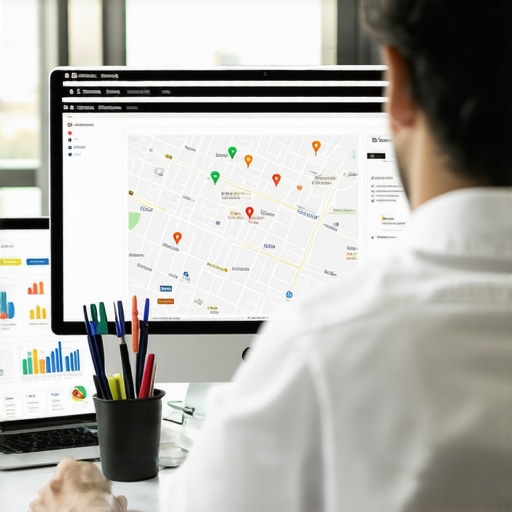
Stop guessing why you aren’t ranking. Use a dedicated google business profile optimization tool to see where your signals are dropping off. You need to know exactly where your “visibility radius” ends. I recommend using professional software like SEO Viper Tools to run a grid search on your rankings. This allows you to see the “Specific Reason” in a visual format – usually a wall of red pins just outside your immediate zip code.
Step 2: Implement Hyperlocal Schema
Your Schema shouldn’t just say you are a “Plumber.” It should use `areaServed` properties, `hasMap` properties, and link directly to the CID of your Google Business Profile. This creates a hard-coded link between your website and your physical location, reducing the effects of Hyperlocal Desynchronization.
Step 3: Synchronize Your Signals
Every time you update your city page with a new local case study, post that same case study as a Google Business Profile update. Link the GBP post back to the city page. This creates a “relevance loop” that tells Google both your website and your map listing are active, accurate, and highly relevant to that specific geographic coordinate. This is the secret to a long-term rank higher on google maps strategy.
Conclusion: Stop Chasing Rankings, Start Chasing Relevance
The “Specific Reason” your city page isn’t generating leads isn’t because of a lack of keywords or a lack of backlinks. It’s because your page is a digital stranger in a local neighborhood. It lacks the trust, the technical synchronization, and the hyperlocal proof required to turn a searcher into a caller.
In 2026, the businesses that win aren’t the ones with the most pages; they are the ones with the most connected pages. You must bridge the gap between your google business profile seo and your on-page content until they are indistinguishable from one another.
If you’re ready to stop wasting budget on “ghost” rankings and start building a lead-generation machine that actually works, it’s time to rethink your approach. Explore our Maps SEO Packages: Your Guide to Cost-Effective Optimization and let’s fix your hyperlocal strategy today.