
How to Recover a Suspended Google Business Profile Without Losing Your Reviews
How to Recover a Suspended Google Business Profile Without Losing Your Reviews
There is a specific kind of “heart attack” reserved exclusively for local business owners. It happens the moment you log into your dashboard and see it: the dreaded red badge that reads “Suspended.” In an instant, your primary source of leads, your digital storefront, and years of hard-earned reputation disappear from Google Maps and Search results.
As a Google Business Profile Product Expert, I have seen thousands of these cases. I know the panic. I know the feeling that your business has been “deleted” by an uncaring algorithm. But here is the reality: a suspension isn’t just a visibility loss; it’s a lead-flow blackout. For a plumber, a lawyer, or a roofer, every hour your profile is down is an hour your competitors are stealing your customers.
Google suspends profiles to maintain the integrity of its ecosystem. Unfortunately, legitimate businesses are frequently caught in “algorithmic sweeps” designed to catch spammers. The good news? If you follow the correct protocol, you can get your profile back. The better news? You can do it without losing a single one of your precious 5-star reviews. This is the definitive 2026 guide to google business profile seo and reinstatement.
Decoding the Suspension: Is it Soft or Hard?
Before you rush to hit the “Appeal” button, you must understand what kind of trouble you are in. Not all suspensions are created equal. In the world of local seo tools, we categorize these into two distinct buckets: Soft and Hard.
1. The Soft Suspension
A soft suspension is often the result of a “user-suggested edit” or a minor policy violation that Google wants you to fix. In this scenario, your business might still show up on Google Maps, but you have lost the ability to manage it. You’ll see a “Suspended” or “Disabled” notice in your dashboard, but the public-facing listing remains. Usually, this requires re-verification or resolving a conflict with another user who claimed ownership. While stressful, it is rarely fatal for your google business profile seo.
2. The Hard Suspension
This is the “nuclear option.” A hard suspension means your listing has been completely removed from Google Search and Google Maps. If you search for your business name, it simply isn’t there. These are typically triggered by what Google calls “Deceptive Content” or “Quality Issues.” This means Google no longer believes your business exists at the location stated, or they believe your business model violates their core terms of service. This is where you need a strategic google maps ranking service approach to prove your legitimacy.
The 2024-2026 “New” Appeal Process
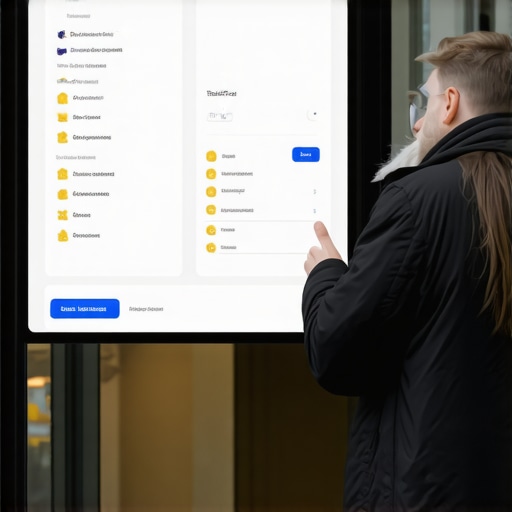
If you haven’t dealt with a suspension in a few years, the process has changed significantly. The old “reinstatement form” that we used for a decade has been retired. It has been replaced by a dashboard-driven Google Business Profile Appeal Tool. This new workflow is more transparent but significantly more rigid.
The technical workflow for reinstatement now follows a very specific path:
- Access the Evidence Dashboard: You must log into the Google account associated with the suspended profile and navigate to the Appeal Tool.
- Select the Profile: You will see a list of your profiles. Select the one that is suspended. The tool will tell you the “Reason” for the suspension (though these reasons are often frustratingly vague, like “Policy Violation”).
- The 60-Minute Window: This is the most critical update in the 2026 landscape. Once you initiate the appeal process, you often have a very limited window – sometimes as little as 60 minutes – to upload your evidence. If you start the appeal without your documents ready, you risk an automatic denial.
Before you even click that button, you should perform a deep dive into your profile’s data. I highly recommend reading our guide on How to Pass a Google Maps Audit Without a Physical Storefront to ensure your backend settings aren’t the reason you were flagged in the first place.
The “Evidence Bundle”: What You Must Submit
Google’s manual reviewers are overworked and underpaid. They spend an average of 30 to 60 seconds looking at an appeal. If your evidence is messy, confusing, or incomplete, they will hit “Deny” and move on. To recover suspended google business profile listings successfully, you need a “Shock and Awe” evidence bundle.
The non-negotiables for your evidence bundle include:
- Business License/Registration: This must match your GBP business name and address exactly. If your license says “Main St. Plumbing LLC” but your GBP says “Main St. Plumbers,” you will be denied.
- Utility Bills: This is the “Gold Standard” of evidence. Google wants to see a Gas, Electric, or Water bill. Why? Because these are tied to a physical location. A cell phone bill is not sufficient.
- Photos of the Storefront: If you have a physical office, take a photo of your permanent signage. If you are a Service Area Business (SAB), take photos of your branded vehicles and your tools of the trade.
- Proof of Address: A lease agreement or a deed.
Crucial Advice: Do not submit “sensitive” documents like tax returns or personal bank statements unless specifically asked. Not only is it a privacy risk, but it often confuses the automated scanning systems. Instead, use a professional google business profile audit tool to verify that your NAP (Name, Address, Phone) data is consistent across the web before you submit.
Protecting Your Reviews During Recovery
The biggest fear business owners have is losing their reviews. “If I can’t get this profile back, I’ll just start a new one,” is a common refrain. Do not do this.
Starting a new profile is the single worst move you can make for your google business profile seo. Reviews are tied to the CID (Cluster ID) of the business. The CID is a unique identifier Google assigns to a specific business entity at a specific location. If you create a new profile, you are creating a new CID, and your old reviews will not follow you. They will remain “orphaned” on a suspended listing that no one can see.
When you successfully recover a profile through the official appeal process, the CID remains intact. This means the moment your profile is “un-suspended,” all of your reviews, photos, and Q&A content will reappear exactly as they were. This is why we fight for reinstatement rather than starting over. To understand how to further leverage these assets once they are back, see my article on 5 Specific Moves to Get More Google Reviews Without Sounding Desperate.
Why Appeals Fail: Common Pitfalls
Most guides on how to fix google business profile suspension issues forget to mention why people fail. Even with good evidence, many businesses remain stuck in “Suspended Purgatory.” Here is why:
1. “Address Pimping”
If you are using a UPS Store, a P.O. Box, or a “virtual office” like Regus or WeWork without a dedicated, private suite and permanent signage, you are violating Google’s guidelines. Google’s AI is incredibly good at identifying these addresses. If your business is registered at a virtual office, your appeal will likely be denied unless you can prove you have staff there during business hours.
2. Keyword Stuffing
If your legal business name is “Smith & Sons” but your GBP name is “Smith & Sons Best Plumber in Chicago Emergency Repair,” you have been suspended for name violation. You must change the name to the legal entity before appealing. If you try to appeal a “spammy” name, Google will reject it instantly.
3. Multiple Profiles
Having more than one profile for the same business at the same location is a major red flag. This often happens when a business owner forgets an old login and creates a new one. Before appealing, ensure you don’t have duplicate listings floating around. This is a common discovery during a thorough google business profile audit tool check.
Expert Tip: If your initial appeal is denied, do not keep submitting the same form. You typically have only one chance to “Request an Additional Review” (the second-tier appeal). After that, the case is often closed permanently, and you will need to reach out to a Product Expert in the Help Community or seek a specialized google maps ranking service to intervene.
Post-Reinstatement: Reclaiming Your Rankings
Congratulations! Your profile is back. But you notice something troubling: you used to be in the top 3 of the Map Pack, and now you are on page 4. This is common. A suspension is a “trust reset.” Google has essentially stopped “crawling” your profile while it was down, and your competitors have gained ground.
To rank higher on google maps after a suspension, you need to signal to Google that your business is not only legitimate but highly active. This involves:
- Fresh Content: Post 2-3 Google Updates (formerly Posts) per week.
- New Reviews: Reach out to recent customers immediately to get fresh 5-star feedback. This signals “vitality” to the algorithm.
- Local Signal Building: Use local seo software to build new local citations and ensure your existing ones are accurate.
Oftentimes, businesses find that their smallest competitors are now outranking them. If this is happening to you, check out our analysis on Why Your Smallest Local Competitors Keep Beating You in Search Results. You might also want to explore professional Maps SEO Packages to accelerate your recovery.
The Path Forward
Recovering a suspended Google Business Profile is a test of patience and precision. Google’s guidelines on “Representing your business on Google” are the law of the land. If you deviate from them, the algorithm will find you. However, by treating the Appeal Tool as a legal proceeding – submitting clear, undeniable evidence like utility bills and licenses – you can restore your business to its rightful place.
Remember, your reviews are your most valuable digital asset. They are the “Trust Signals” that convert browsers into buyers. For more on this, read 3 Google Business Profile Trust Signals That Actually Convert Browsers into Buyers.
Don’t gamble with your reinstatement. A single mistake in the appeal process can lead to a permanent ban. Use a professional google business profile audit tool to ensure your data is perfect before Google’s manual reviewers see it.